
Download DavinciAI – Secure AI‑Powered Patent Drafting Tool for Attorneys
Overview
DavinciAI is a web‑based, AI‑driven platform designed specifically for patent attorneys, agents, and in‑house IP teams that need a faster, more reliable way to draft and review patent applications. By leveraging generative large‑language models that have been fine‑tuned on millions of patent documents, the software can automatically generate boiler‑plate sections, suggest claim language, and produce accurate drawing descriptions with a single click. The system eliminates repetitive, low‑value tasks such as manual formatting, citation checking, and clause repetition, allowing professionals to concentrate on strategic analysis, inventive step arguments, and client counseling.
Security is a core pillar of the solution: all processing occurs in an end‑to‑end encrypted environment, no user data is retained after a session ends, and the platform complies with ISO 27001, GDPR, and other industry‑standard certifications. Compatibility is broad—DavinciAI runs in any modern browser on Windows, macOS, Linux, Android, and iOS, meaning there is no need for complex installations or heavy local hardware. The tool supports DOCX, PDF, XML, and plain‑text inputs and can export USPTO‑ready XML, PDF, and Word files, making the hand‑off to filing portals seamless.
While the AI works across all technology domains, it offers domain‑specific models for software, mechanical, and process‑method patents, delivering higher relevance and reduced post‑generation editing. In short, DavinciAI transforms the traditionally manual, time‑intensive drafting workflow into a modern, secure, and highly productive experience that scales from solo practitioners to multinational IP departments.
Key Features & Benefits
- Generative Draft Sections: Instantly creates background, summary, detailed description, and claim blocks from a brief invention outline.
- Smart Claim Builder: Suggests claim language, highlights prior‑art gaps, and proposes alternative scopes to strengthen protection.
- Drawing Description Engine: Analyzes uploaded figures and produces legally compliant drawing descriptions automatically.
- Multi‑Format Compatibility: Accepts DOCX, PDF, XML, and plain‑text; exports USPTO‑ready XML, PDF, and Word.
- Security‑First Architecture: End‑to‑end encryption, zero data retention, ISO 27001 & GDPR compliance.
- Domain‑Specific Models: Optimized AI for software, mechanical, and process‑method patents.
- Collaboration Hub: Real‑time co‑authoring, comment tracking, and version control for teams.
- Local Fine‑Tuning: Users can train the AI on their own patent library without uploading data to the cloud.
- Integrated Patent Search: Direct access to public patent databases for on‑the‑fly prior‑art checks.
- Automated Compliance Checklist: Generates a post‑draft checklist covering formal requirements and claim consistency.
Each feature is engineered to cut the manual effort that traditionally consumes 60‑80 % of a patent professional’s time. The generative draft sections reduce the initial outline phase to seconds, while the claim builder ensures that the most critical protection language is never overlooked. The drawing description engine eliminates the need for separate drafting tools, and the integrated search function means prior‑art analysis can be performed without leaving the interface.
Collaboration tools keep all stakeholders on the same page, preserving audit trails and supporting remote work. Security‑first design guarantees that confidential inventions never leave the organization’s control, a crucial factor for firms handling highly sensitive technology. Together, these capabilities translate into faster docketing, higher filing quality, and measurable cost savings for both boutique firms and large corporate IP departments.
Installation, Compatibility, Pros & Cons, and Frequently Asked Questions
DavinciAI is delivered as a SaaS platform that runs entirely in the browser. It supports the latest versions of Chrome, Edge, Firefox, and Safari on desktop (Windows 10/11, macOS, Linux) as well as mobile browsers on Android and iOS. No plug‑ins, extensions, or local installations are required, and the interface automatically adapts to tablet and smartphone screens, providing a native‑like experience across all devices.
Installation & Daily Use
Getting started takes just a few minutes. Users navigate to https://davinciai.com, register with a professional email, and optionally enable Single Sign‑On via Azure AD, Okta, or Google Workspace. Two‑factor authentication (2FA) is mandatory for all accounts, ensuring that only authorized personnel can access the system.
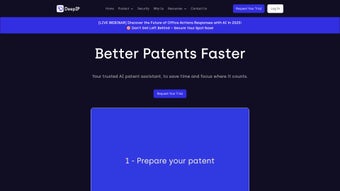
After logging in, the dashboard presents three primary actions: create a new draft, import an existing document, or explore AI‑assisted templates. To launch a draft, select “New Patent”, choose the technology sector, and provide a concise invention summary. Within seconds the AI produces a full outline, which can be edited, expanded, or refined.
Users can upload drawings, run the Drawing Description Engine, and execute a “Compliance Check” that returns a detailed checklist and claim‑strength recommendations. The final document can be exported in USPTO XML, PDF, or Word format and submitted directly to the relevant filing portal or internal docketing system.
Pros
- Up to 50 % reduction in drafting time.
- Zero‑data‑retention security model.
- Domain‑specific AI delivers higher relevance for software, mechanical, and process patents.
- Real‑time collaboration with version control.
- Broad export options that meet USPTO and EPO standards.
Cons
- Initial learning curve for attorneys unfamiliar with AI‑assisted drafting.
- Requires a stable internet connection; no offline mode.
- Premium pricing may be prohibitive for very small firms.
Review Summary: “DavinciAI has become the backbone of our drafting team. The AI‑generated claim language is impressively accurate, and the security guarantees give us peace of mind when handling sensitive inventions.”
Frequently Asked Questions (FAQ)
Is my data truly private when using DavinciAI?
Yes. All data is encrypted in transit and at rest, and the platform does not retain drafts after the session ends. Compliance with ISO 27001 and GDPR ensures industry‑leading privacy.
Can DavinciAI handle non‑English patent filings?
The current generation engine is optimized for English, but the platform accepts uploads in other languages for review, and multilingual support is planned for future releases.
What browsers are supported?
Chrome, Edge, Firefox, and Safari on desktop; Chrome for Android and Safari for iOS on mobile devices.
How does pricing work for teams?
DavinciAI offers subscription tiers: Individual, Small Firm (up to 10 users), and Enterprise (unlimited users). Annual commitments receive a discount, and custom pricing is available for large organizations.
Can I integrate DavinciAI with my docketing system?
Yes. RESTful APIs and Zapier connectors allow seamless integration with popular docketing and practice‑management tools.
Conclusion & Call to Action
DavinciAI represents a decisive step forward in patent drafting technology. By automating repetitive content creation, safeguarding every byte of confidential information, and delivering domain‑specific AI insights, the platform frees attorneys to focus on the strategic aspects that truly add value for clients. Whether you are part of a global IP department, a mid‑size law firm, or a solo practitioner, the measurable time savings, higher drafting accuracy, and collaborative features translate directly into faster prosecution cycles and stronger patent portfolios. Ready to experience the future of AI‑augmented patent drafting? Start your free trial today and discover how DavinciAI can elevate your practice.



.png)



